
Your exact words, on camera, without filming
Choose an image and a script. Your clone speaks every word on camera in your voice and emails you the video.
Some messages need to be exactly right: a welcome for new members, a thank-you to supporters, a course intro. Avatar Video+ has your clone deliver your script word for word from a single image you choose, lip-synced in your voice. No camera, no lighting, no tenth take.
Use your headshot, a styled portrait or a photo that fits the moment. Your clone animates it, speaks the script and sends the finished video by email. It's the fastest way to get a talking-head video when you already know what you want to say.
Just tell your clone: Avatar Video+
Type it the way you'd say it. Tap any line to copy it.
- Record my welcome message for new members using my headshot. Here's the script.Copy
- Use this photo of me in my studio and say this 30-second thank-you to my Patreon supporters.Copy
- Make a talking video from my LinkedIn photo reading my course intro below.Copy
- Use the portrait from my book cover and read this short author note.Copy
- Make a birthday message for my mentor from this photo. Script attached.Copy
- Read this announcement word for word using my conference headshot.Copy
This is what it looks like.
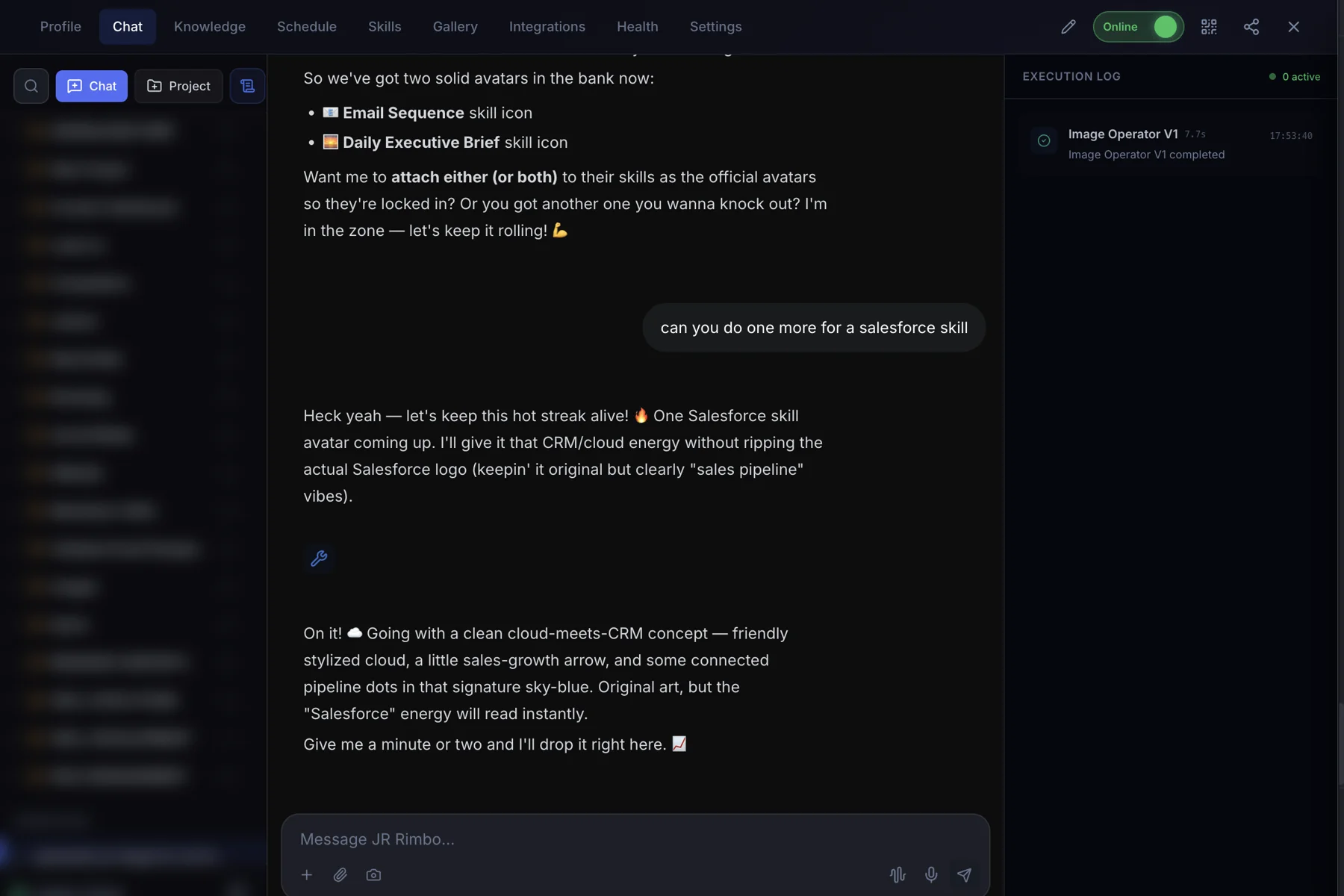
- 1Open your clone's Chat tab. Every clone has one, right next to Knowledge, Schedule and Skills.
- 2Ask in plain words. “Record my welcome message for new members using my headshot. Here's the script.”
- 3Watch Avatar Video+ run. The Execution Log on the right shows each skill as it starts and finishes, then your result lands in the chat.
 123
123Avatar Video+: questions, answered.
Will my clone change my script?
No. Avatar Video+ delivers the script exactly as written, word for word.
What image works best?
A clear, front-facing photo with your face well lit works best. You can use your headshot or generate a new portrait with Image Operator.
How is this different from Automated Video?
Avatar Video+ is one image speaking one exact script. Automated Video builds a full production with research, scenes, graphics, music and captions.
How do I get the video?
Your clone emails you the finished video when it's ready.
Avatar Video+ for your team
Clone.org covers how businesses put this skill to work through a digital employee.