




















Design. Deploy. Scale.
Launch role-ready or custom clones, each provisioned with identity, permissions and skills. No engineering required.
Just tell your clone. Watch it work.
Every request runs in the open. The Execution Log shows each skill as it starts and finishes, and nothing goes out without your approval.

Pull one off the shelf. Build one. Or clone yourself.
Pre-built clones, ready to work
Choose from role-specific clones already set up for sales, support, ops, finance, engineering and more. Pick one, plug it in, and it ships work on day one.
Hire a clone →From scratchDesign a clone for any workflow
Describe the role, the steps and the tools it touches. The Studio assembles a clone purpose-built for the work.
Book a demo →Clone yourselfCapture your voice and expertise
Train it on your writing, your meetings, your strategy and your point of view. It shows up to work as a second you, 24/7.
Clone yourself →
Four levers. One fingerprint.
Adjust each one to make a clone unmistakably yours.
Curious. Direct. Warm.
Set the temperament that fits the role. You define your clone.
Reads everything you do
Upload docs, wikis and transcripts. Your clone learns from all of it.
Matches how work flows
Concise emails. Detailed reports. Casual chat. You choose.
Right for every audience
Formal with execs, friendly with customers. Adjust per channel.
The control center for your clone team.
Real-time visibility into every clone's engagement, accuracy, credit use and interaction volume. Manage clones with the same rigor as your human team.
Every clone carries a Power Rating, one composite score that tells you where to look first. Track it over time, weigh credit spend against accuracy, and spot usage spikes or quiet periods before they become problems.





Illustrative numbers.
One clone. Everywhere your team works.
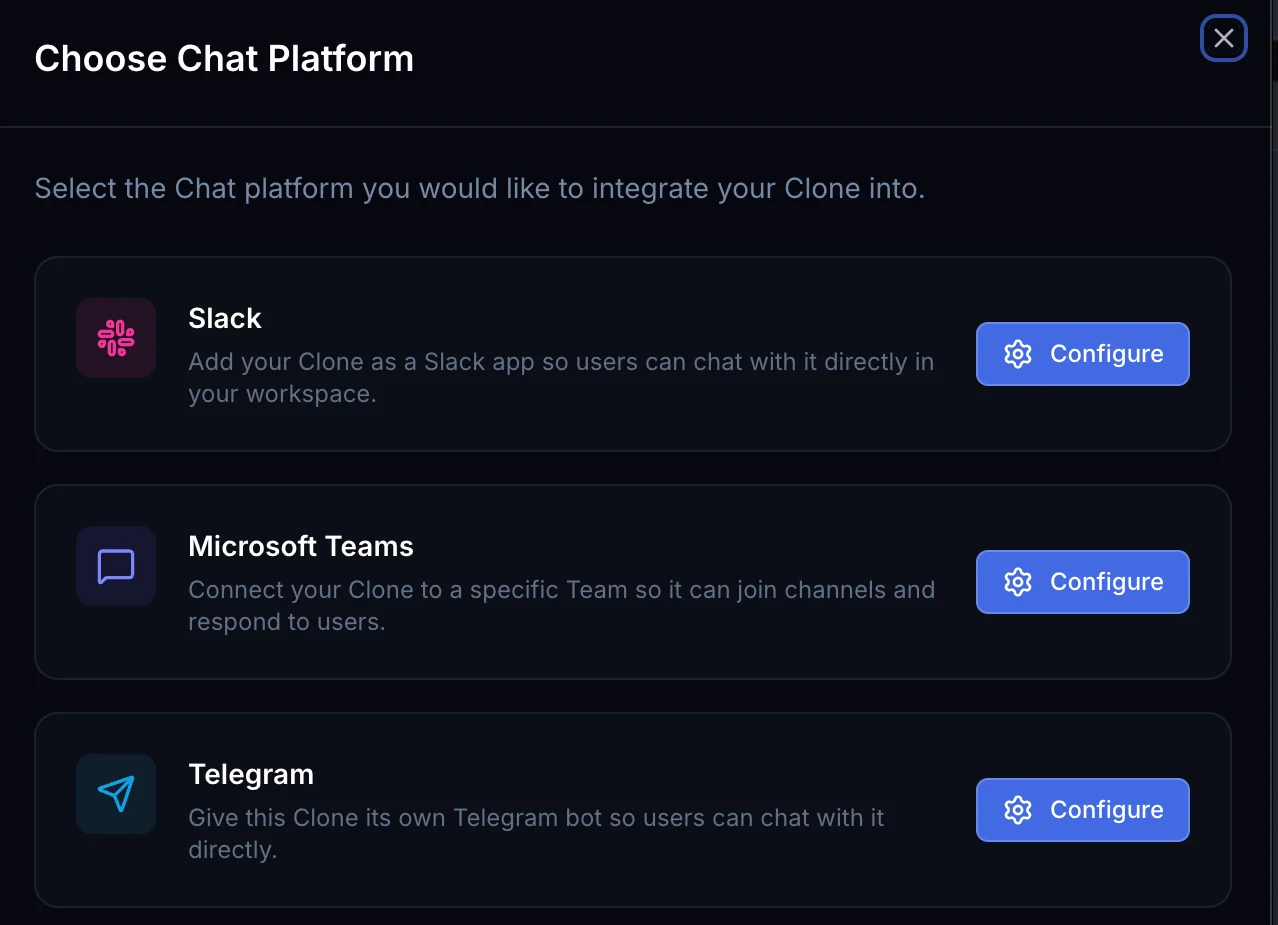
Add a clone to Slack, Microsoft Teams or Telegram, give it an email address or a phone number, or embed it on your website. Same clone, same memory, every channel.
Built on trust from day one.
It remembers everything
Clones keep context across interactions. They remember past decisions, learn preferences and improve without starting from scratch.
Governed from day one
Fine-grained access controls decide what each clone can see, do and change. Role-based permissions and audit trails cover every action.
100% yours. Always.
Tenant isolation, AES-256 encryption and full audit trails are built in. Your clone answers to you and nobody else.
Plugs into your stack
Slack, Salesforce, Microsoft 365, Jira and SAP. One clone, every surface your team already uses.
From solo founders to the Fortune 500.
Clone yourself. Multiply your output.
- Get started in minutes
- Capture your voice and expertise
- Run a second you 24/7
Hire a team that scales with you.
- Pre-built clones for every role
- Connect to your existing stack
- Add capacity without headcount
Deploy a custom clone workforce.
- Custom clones tuned to your workflows
- SSO, tenant isolation and full audit trails
- Dedicated CSM and white-glove onboarding
Clones for every seat.
 Framing three open Q4 decisionsFounders & C-SuiteClaire MontgomeryFounderRebuilding Thursday around a board callExecutive AssistantDestiny WilliamsExecutive AssistantVetting 60 accounts against the ICPSales & GTMMateo AlvarezSales Development RepRewriting Q4 positioning for reviewMarketing & MediaGabi TorresMarketing Executive
 Prepping 5 account check-ins this weekCustomer SuccessEthan ValeCustomer Success ManagerWatching an escalation spike in billingCustomer SupportSarah ChenCustomer Support ManagerClearing 9 stuck handoffsBusiness & Rev OpsTheo HartwellBusiness Operations Coordinator
 Reconciling the October board packFinance & AccountingAdrian KestertonFinancial Reporting Analyst
Clone Roles120+ more roleson Clone.org ↗
Clone Studio: questions, answered.
What is Clone Studio?
Clone Studio is the central workspace for creating and managing AI clones. It acts as the control center for how clones operate. Examples include: Chat with your clone via text or phone call, Configure skills, Automate tasks, Upload knowledge, Manage integrations, Monitor performance.
What are the modes of a Clone clone?
Clones operate in two primary modes: Conversation Mode, where the clone acts like an AI assistant and answers questions or provides insights, and Skill Execution Mode, where the clone executes tasks such as generating media, running workflows, or triggering integrations.
What is the clone knowledge base?
The knowledge base contains documents and resources the clone uses to understand your business. This information helps clones produce accurate and brand-aligned outputs. Examples include: Product documentation, Brand guidelines, Policies, Playbooks, Process documentation, FAQs.
How do I manage clone personality and behavior?
Clone allows users to configure a clone's persona, tone of voice, professional background, personality traits, and communication style. This helps the clone behave consistently with your brand or role.
Can I monitor clone performance?
Clone Studio provides performance analytics including engagement levels, usage metrics, accuracy indicators, system health data, and activity logs. These metrics help teams understand how clones are performing.
Can clones be embedded into websites?
Yes. Clones can be accessed through embeddable links, web interfaces, messaging platforms, and internal tools.
Build your clone now. Level up, instantly.
Build your clone in minutes. Hire the rest of the team when you're ready.