



















The skill factory. Describe it. Atlas builds it.
SkillForge turns a plain-language request into a tested, deployed skill your clones can run. It's an agentic system that builds agentic systems: an engineering workbench and a build pipeline in one product.
From one request to a live skill.
You describe the skill. Atlas asks the right questions, then a team of specialized agents plans, researches, writes, reviews, tests and deploys it, narrating every step.
research › found QuickBooks Online Accounting API v3author › 3 tools written, tests generateddevops › deployed to Cloud Run · version 1invoice-reminders/├ skill.py├ tools/└ tests/Illustrative build.
Five steps. About one to two hours.
Describe it.
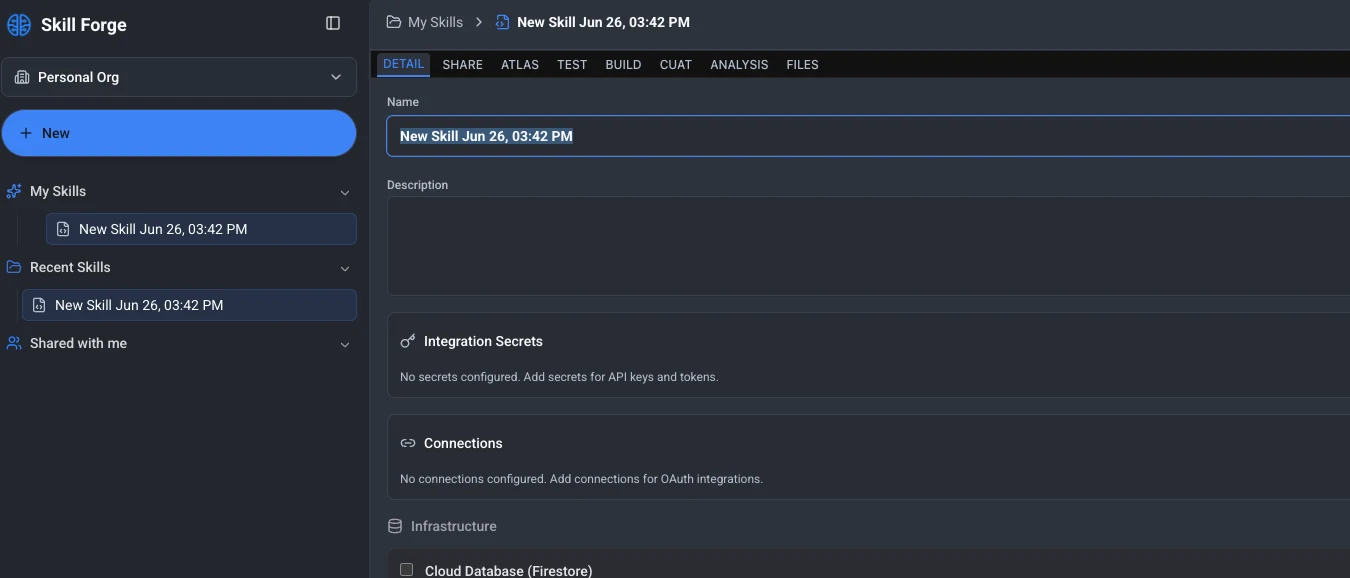
Name the skill and write the brief on the Detail tab: what it should do, the API keys and secrets it needs, the OAuth connections it uses, and any infrastructure such as a cloud database.
Talk to Atlas.
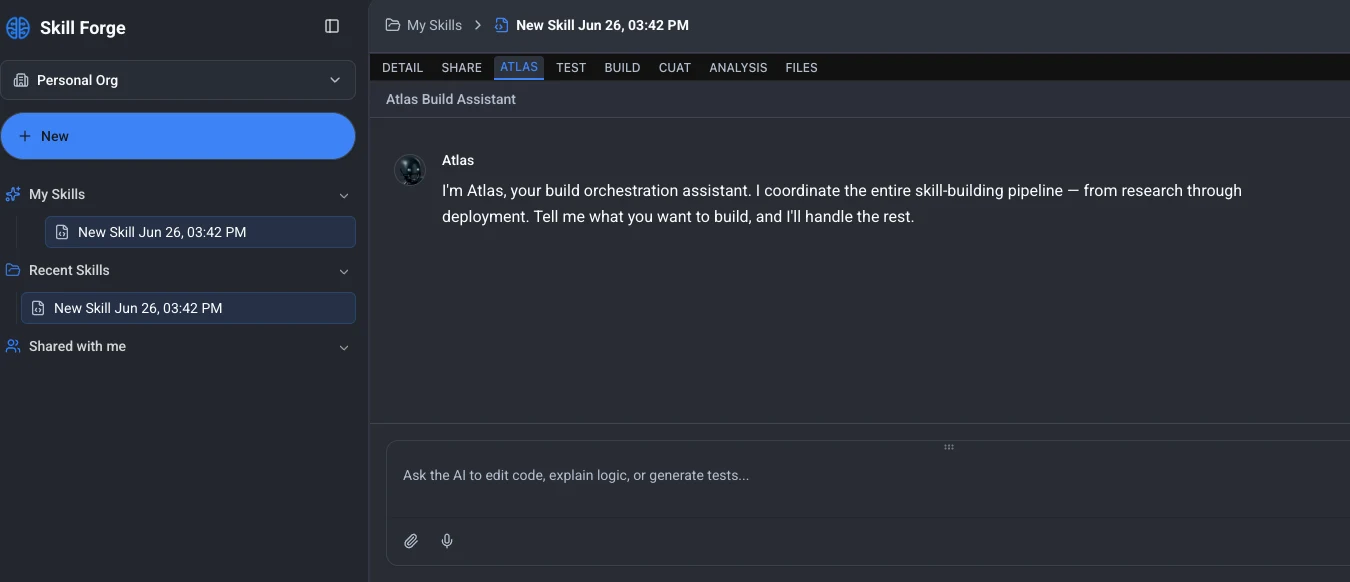
Atlas is the build orchestration assistant. Tell it what you want in plain language. It works through the architecture with you, settles which connections and secrets the skill needs, then drives the build and narrates it live.
The pipeline builds it
Seven specialized agents take it from plan to deployment, each one handing off to the next.
Test it
Chat with a Test Clone for quick checks, then let CUAT run about 150 simulated prompts against it.
Ship it
Publish to your clones in Clone Studio, or open a GitHub pull request from the build artifacts. Every release is versioned.
Seven agents. One build.
- 01Planner
Designs the skillset
- 02Research
Finds the right APIs and SDKs
- 03Architect
API surface, auth, error handling
- 04Author
Writes the Python
- 05Reviewer
Checks and fixes the code
- 06Tester
Runs it in isolated containers
- 07DevOps
Deploys to Google Cloud Run
Tested on intent, not just on errors.
Test tab: a quick, interactive chat with a Test Clone to probe the skill while you build.
CUAT (Clone User Acceptance Testing): the quality gate. It runs the skill in isolated containers against roughly 150 simulated prompts, sets up realistic conditions automatically, and judges each result on whether it met the intent, not on an exact text match.
Illustrative results.
Built to iterate, not to start over.
Human in the loop
Run builds automatically, supervised (pause for approval after each phase) or collaboratively.
Fix one stage, not the whole build
Send feedback to a specific phase. Only the affected stages re-run; unchanged work is reused, so iterating is cheap.
Judged on intent
Tests set up realistic conditions automatically and check whether the skill did what was meant.
A live, readable timeline
Every agent's work streams into the Atlas chat as it happens.
Pause, resume, replay
Builds can be paused, resumed, cancelled and replayed from any stage. A watchdog recovers stalled builds.
Hours, not sprints
A plain-language requirement becomes a functioning, tested, deployed skill in about one to two hours.
The right tool for each skill.
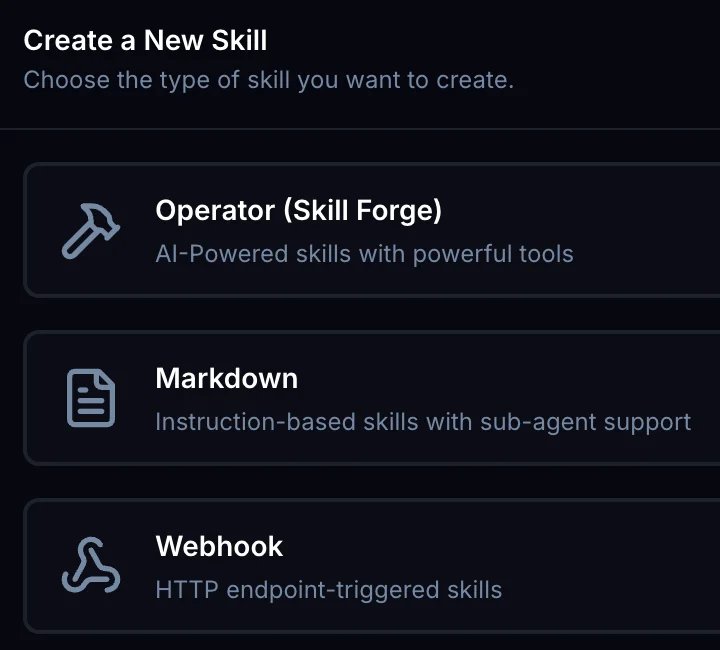
Clone Studio has three kinds of skills. SkillForge builds the most powerful one, the Operator, with real code that talks to other systems.
| Skill type | Best for |
|---|---|
| Operator (SkillForge) | Complex, tool-rich skills that touch other systems and APIs. Real code, for example an operator for a system you don't have one for yet. |
| Markdown | Instruction-based playbooks that chain existing skills in a set order. No code, fast and token-efficient. |
| Webhook | Triggering an existing external HTTP workflow. |
Rule of thumb: complex or multi-system, use SkillForge. “Use these skills in this order,” use Markdown. Builds use credits and time, so don't reach for SkillForge when a Markdown skill will do.
Everything a skill needs, in one place.
The brief: name, description, secrets, connections, infrastructure.
Invite collaborators and set link sharing for the skill.
Talk to the build assistant and steer the build.
Chat with a Test Clone to check behavior as you go.
Every build run, stage by stage, with its logs.
Acceptance-test results, transcripts and analytics.
How the skill performs once it's running.
The generated code and artifacts, with the Git tree.
Skills, billing and access are scoped to your organization. Every published change creates an immutable version, and clones stay pinned to the version they were attached with.
SkillForge: questions, answered.
What is SkillForge?
SkillForge is Clone Studio's skill factory: a workspace plus a multi-agent build pipeline that turns a plain-language request into a tested, deployed skill your clones can run.
Who is Atlas?
Atlas is SkillForge's build orchestration assistant. You tell Atlas what you want in plain language; it talks through the architecture with you, then drives the build and narrates every stage live, from research through deployment.
How long does a build take?
About one to two hours from a plain-language requirement to a functioning, tested, deployed skill, depending on how complex it is.
Does building a skill use credits?
Yes. Builds are metered in credits, like everything else in Clone. That's why SkillForge is for complex, multi-system skills; if a Markdown skill will do the job, use that instead.
Can I steer a build?
Yes. Run builds automatically, supervised (SkillForge pauses for your approval after each phase) or collaboratively. You can send feedback to a specific phase and only the affected stages re-run.
How are skills tested?
Two ways. The Test tab is a quick chat with a Test Clone. CUAT (Clone User Acceptance Testing) runs the skill against about 150 simulated prompts in isolated containers and judges whether it met the intent, including multi-step chain tests.
What happens when I change a published skill?
Every published change creates a new, immutable version. Clones stay pinned to the version they were attached with, so updates never break a clone that's already working.
Where do I find SkillForge?
In Clone Studio, go to Skills, click Create Skill and choose Operator (Skill Forge). You're signed in automatically with your Clone Studio account.
Looking for skills you can turn on today?
Browse the Skill Library: email, calendar, CRM, research, creative, project management and chat skills, ready for your clones.
If you can describe it, your clone can do it.
Build your clone, then let Atlas build the skills it needs.