
Your Clone sells with you.Not just for you.
Order entry is the easy part. Your Clone logs every call and moves every deal, then does what a great sales partner does: tells you what's slipping, why, and the move that gets it over the line.
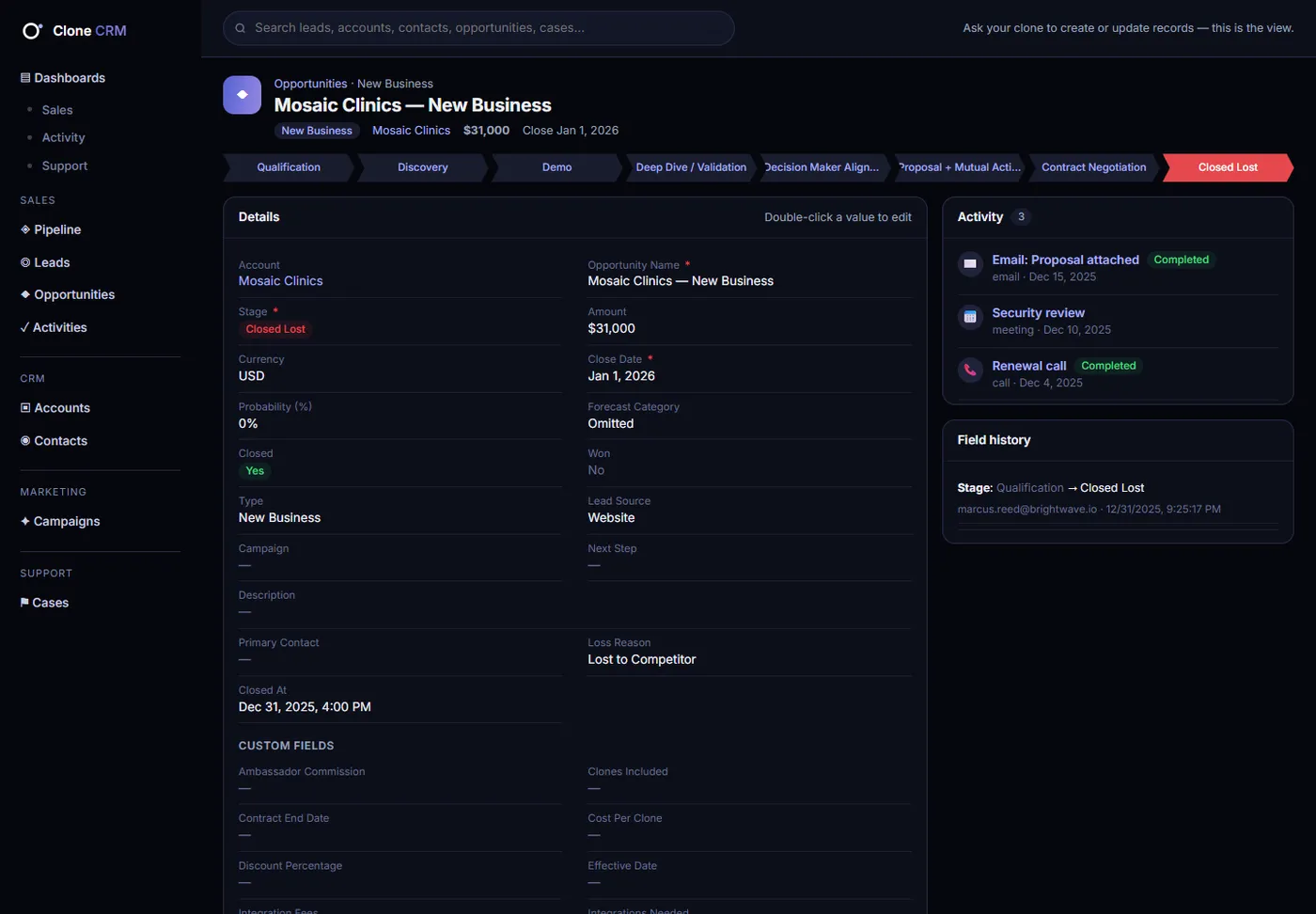
What's at risk this quarter, and what should I do about it?
Three deals need you this week:
- Harbor Logistics, $48K: no touch in 16 days. I drafted a check-in for Dana.
- Mosaic Clinics, $31K: stuck in Demo 2× longer than usual. Suggest an exec sponsor call.
- Keystone Realty: closes in 9 days with no next step. Want a mutual action plan?
Just got off with Dana Lee at Harbor Logistics. She wants pricing for 25 seats and a security review. Follow up Tuesday.
Done. Here's what I did:
- Logged the call on Harbor Logistics, New Business
- Moved the deal to Proposal (70%, Best Case)
- Added a security-review next step
- Created a follow-up task for Tue, Nov 3
Ask it anything about your pipeline.
Real questions sellers and sales leaders ask every week, answered from your own CRM in seconds.
What's at risk this quarter?
Deals past their close date, stuck at twice the normal stage time, gone quiet or pushed more than once, each with the reason.
Prep me for my call with Harbor Logistics.
The account, the open deal, every recent touch, open cases and who's involved, in one brief.
Which deals close in 30 days without a plan?
The list, plus a drafted next step for each one.
What renews in the next 90 days that nobody has talked to?
Contracts, revenue, health and the last time anyone made contact.
Where do we lose deals?
The stage where deals drop out and the loss reasons behind most of them.
Draft a mutual action plan for Keystone.
A plan built from the deal's stage, contacts and next steps, ready for you to send.
Every touch logged. Every deal current.
- 1Open the CRM
- 2Search for Harbor Logistics
- 3Open the account
- 4Find the opportunity
- 5Click Log a Call
- 6Type the notes
- 7Pick the call type
- 8Save
- 9Edit the stage
- 10Pick Proposal
- 11Update probability
- 12Save
- 13Click New Task
- 14Set the date and save
…then do it again after the next call. And the next.
“Just got off with Dana Lee at Harbor Logistics. She wants pricing for 25 seats and a security review. Follow up Tuesday.”
- Logged the call on Harbor Logistics, New Business
- Moved the deal to Proposal (70%, Best Case)
- Added a security-review next step
- Created a follow-up task for Tue, Nov 3
Done before you've left the parking lot.
Forecasts that fill themselves in.
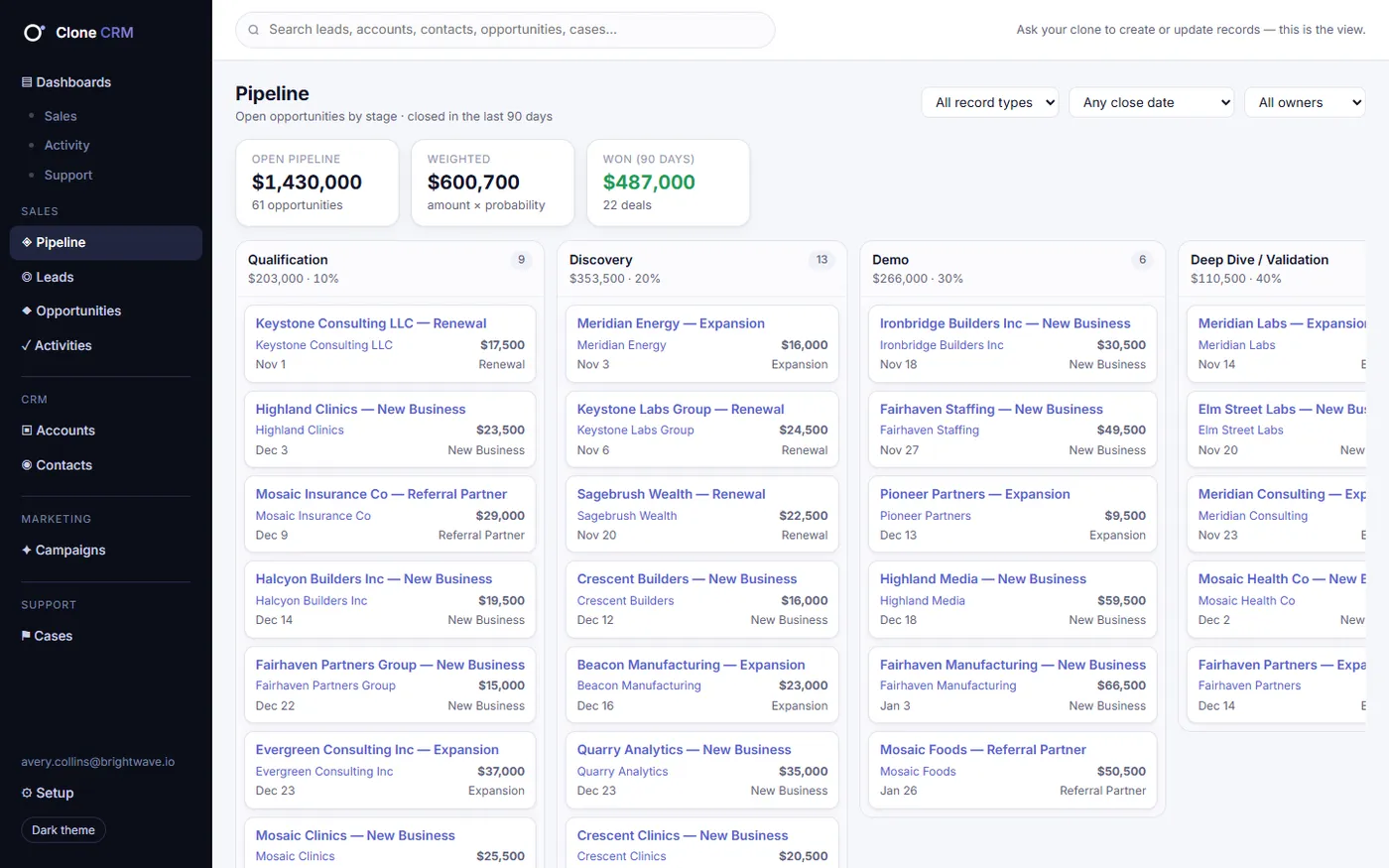
Every stage carries its probability and forecast category, so weighted pipeline, commit and best case are always current. Drag deals on the board or just tell your Clone.
Record types give each deal type its own stages and picklists, so new business, renewals and expansions each move their own way.
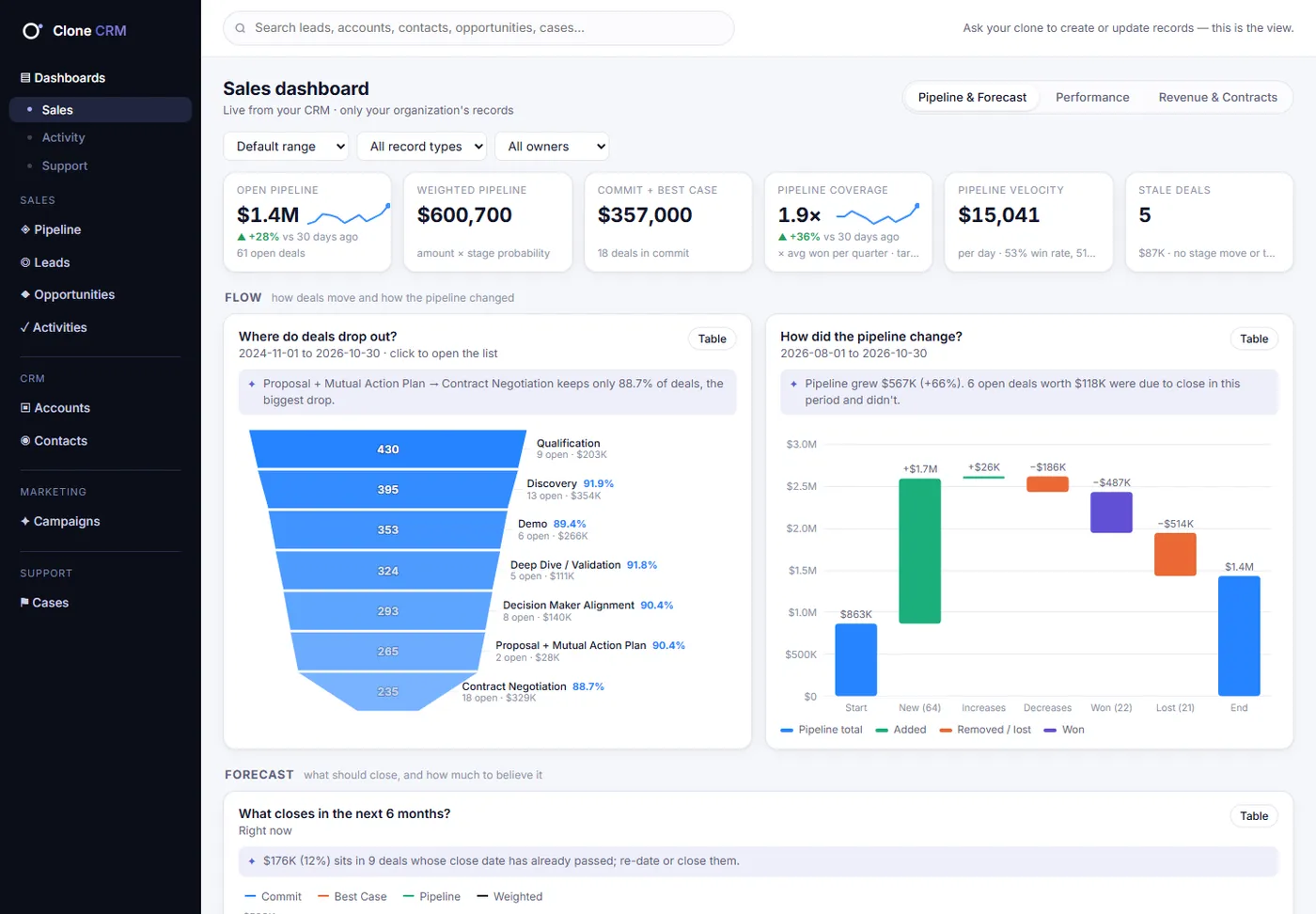
Three tabs. Every question a sales leader asks.
What will close, and can we believe it?
- Funnel with the biggest drop called out
- Pipeline waterfall
- 6-month forecast by category
- Big, stuck deals bubble chart
To-do list: At-risk deals, with the reason next to each
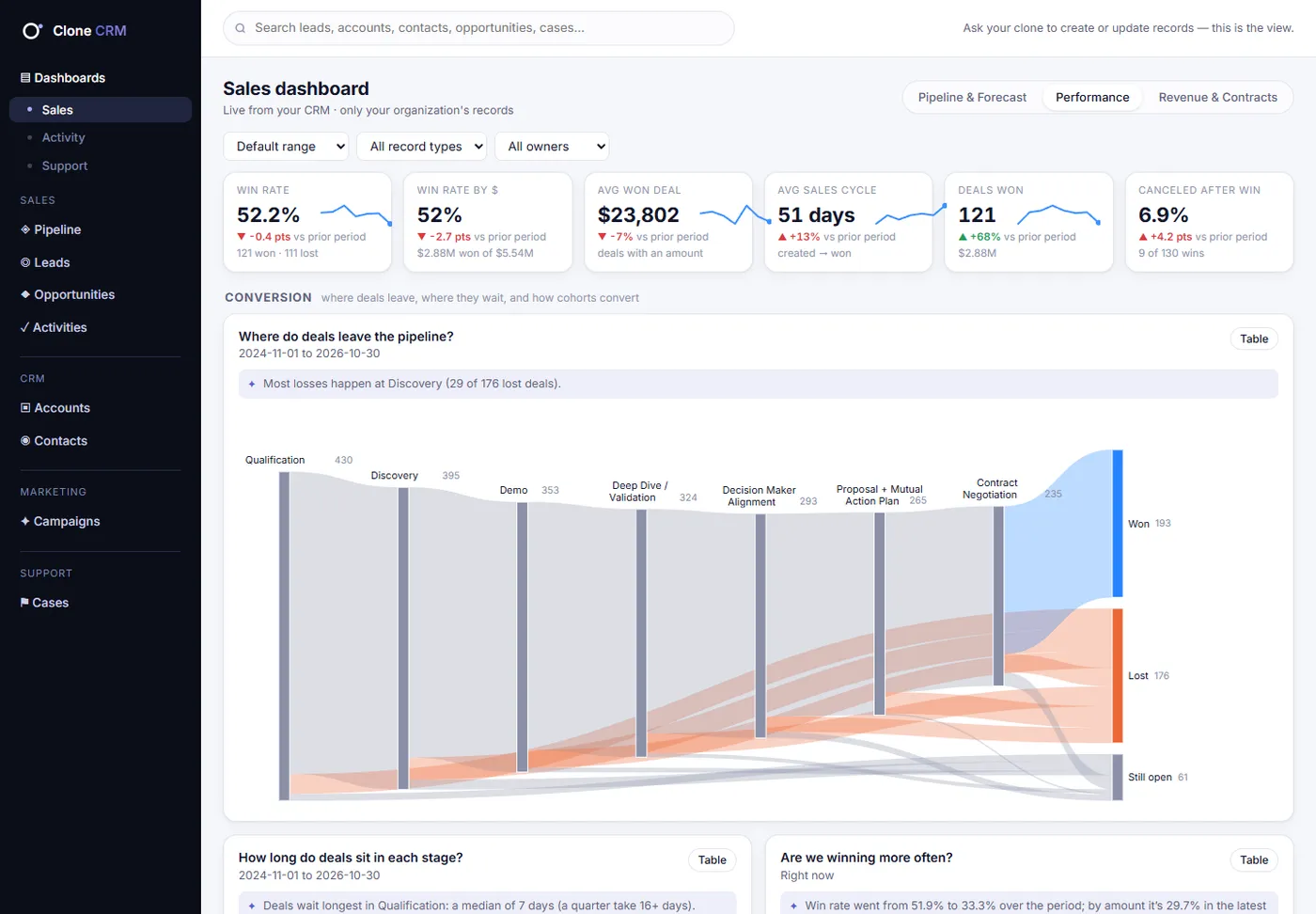
How well do we win, and why?
- Sankey of where deals leave
- Days per stage
- Quarterly cohorts
- Loss-reason Pareto
- Owner radar
To-do list: Deals closing soon without a plan
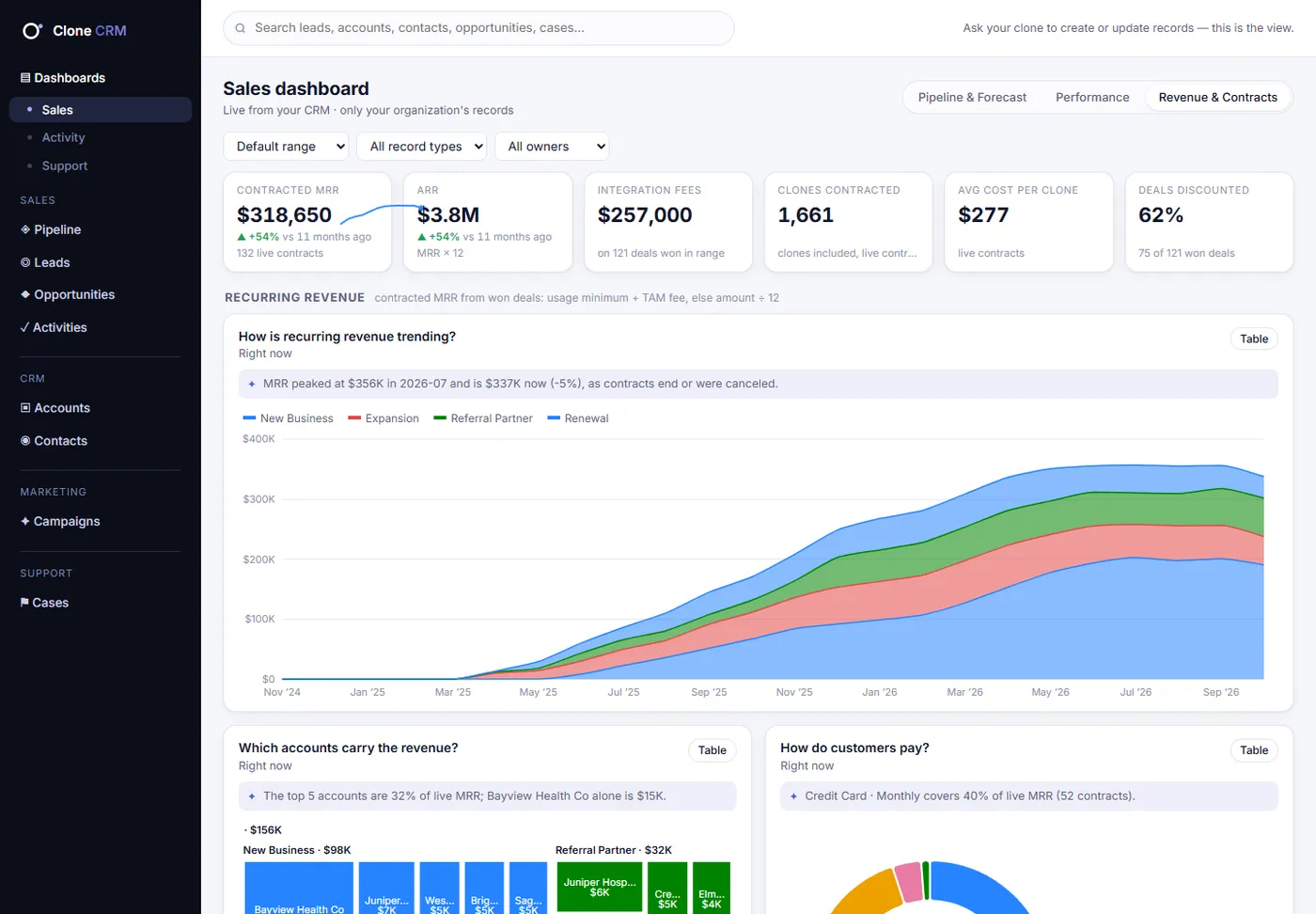
What are we earning, and what renews?
- Recurring revenue over time
- Revenue concentration treemap
- 12-month renewal timeline
- Partner and referral revenue
To-do list: Contracts ending in 90 days, with last contact
Screens and examples use a fictional demo company with generated data.
Sales: questions, answered.
How does my Clone know what's at risk?
It reads your own pipeline: days in stage against the normal time for that stage, close dates already in the past, deals with no activity in 14 days or more, deals pushed more than once, and contracts ending soon with no recent contact.
Will it update deals without asking?
It does what you ask in the conversation, and it asks when something is ambiguous. Bulk changes over 10 records and deletes always need your confirmation first.
Does it forecast?
Every stage carries a probability and forecast category, so weighted pipeline, commit and best case fill themselves in. Ask for the forecast in chat or open the Pipeline & Forecast dashboard.
Can we keep our own stages and deal types?
Yes. Record types give each deal type its own stages and picklist values, and custom fields hold whatever your team tracks. Create them by asking your Clone or on the Setup page.
Get deals over the line. With a Clone in your corner.
See your Clone flag the deals at risk in your own pipeline, and draft the next move.