
Your voice, reading anything you send
Send text and get it back as audio in your voice. Or send a recording and your clone re-voices it.
Recording voiceovers takes a quiet room, a good mic and a lot of retakes. Voice Operator has your clone turn any text into speech in your voice: newsletters, captions, course lessons, intros. You get an audio file back without stepping up to the mic.
It can also re-voice an existing recording up to 10 minutes long. That rough voice memo, the take recorded with a cold or the clip with a noisy café in the background comes back in your clone's clean voice. Use the audio on its own, under a video, or as a podcast segment.
Just tell your clone: Voice Operator
Type it the way you'd say it. Tap any line to copy it.
- Read this week's newsletter in my voice and send me the MP3.Copy
- Record the intro for my podcast from this script.Copy
- Re-voice this voice memo, I recorded it with a cold.Copy
- Read my course lesson 3 script, calm and slow.Copy
- Make a 20-second voiceover for my Reel from the caption below.Copy
- Read this bedtime story for my kids in my voice.Copy
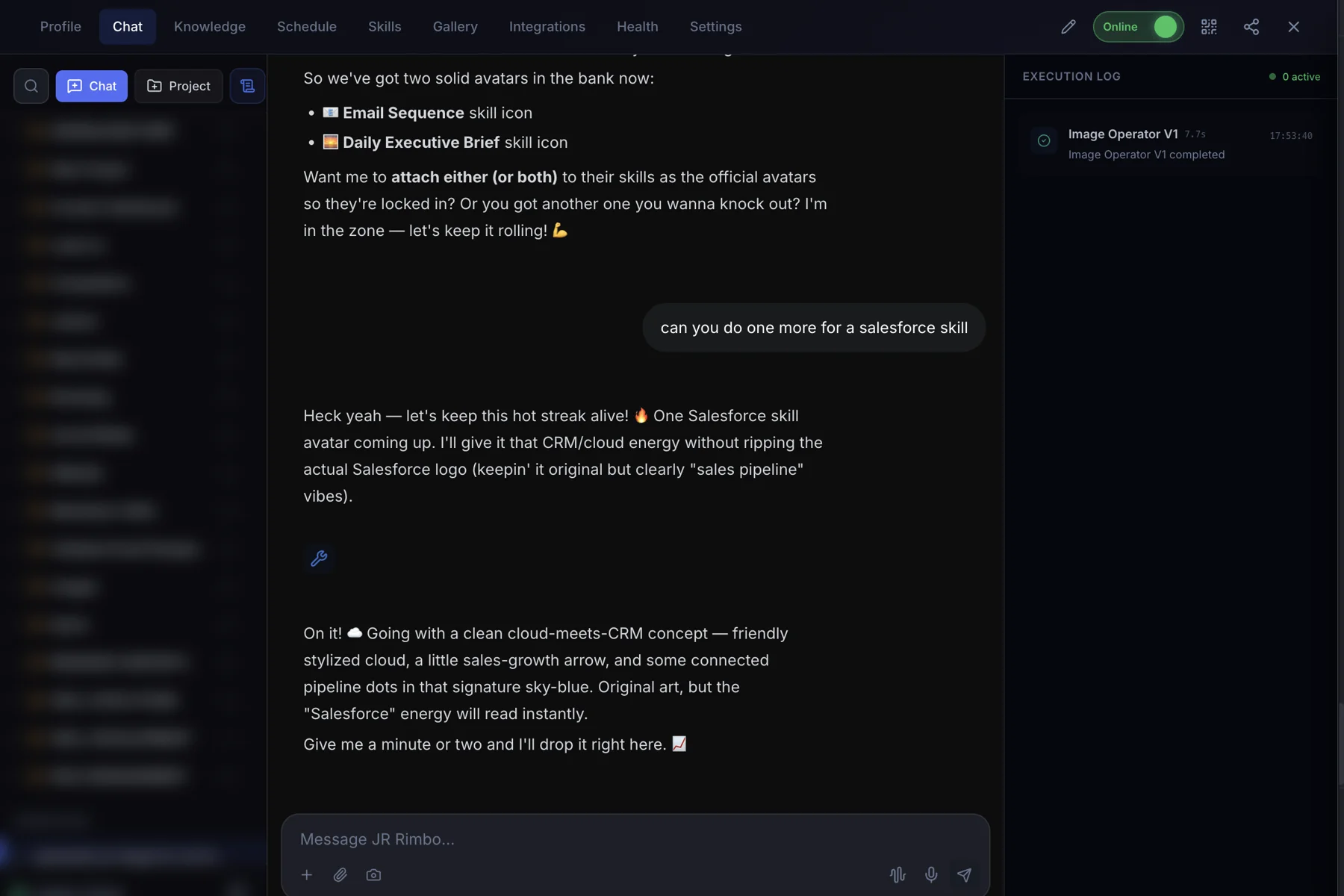
This is what it looks like.
- 1Open your clone's Chat tab. Every clone has one, right next to Knowledge, Schedule and Skills.
- 2Ask in plain words. “Read this week's newsletter in my voice and send me the MP3.”
- 3Watch Voice Operator run. The Execution Log on the right shows each skill as it starts and finishes, then your result lands in the chat.
 123
123Voice Operator: questions, answered.
Does it really sound like me?
It uses your clone's voice, which is set up to sound like you.
How long can a recording be?
Re-voicing works on recordings up to 10 minutes.
What format do I get?
An audio file you can download, like an MP3.
Can I use it for videos?
Yes. Use the voiceover in your own edits, or let Automated Video handle voiceover inside a full production.
Voice Operator for your team
Clone.org covers how businesses put this skill to work through a digital employee.