Your clones run your social.You stay in control.
Ask once, in plain English. Your clone researches, writes and designs a post for every platform from what it already knows about your business, sends it for your review, publishes it on time and answers the comments. Hours of work a week become a few minutes of review.
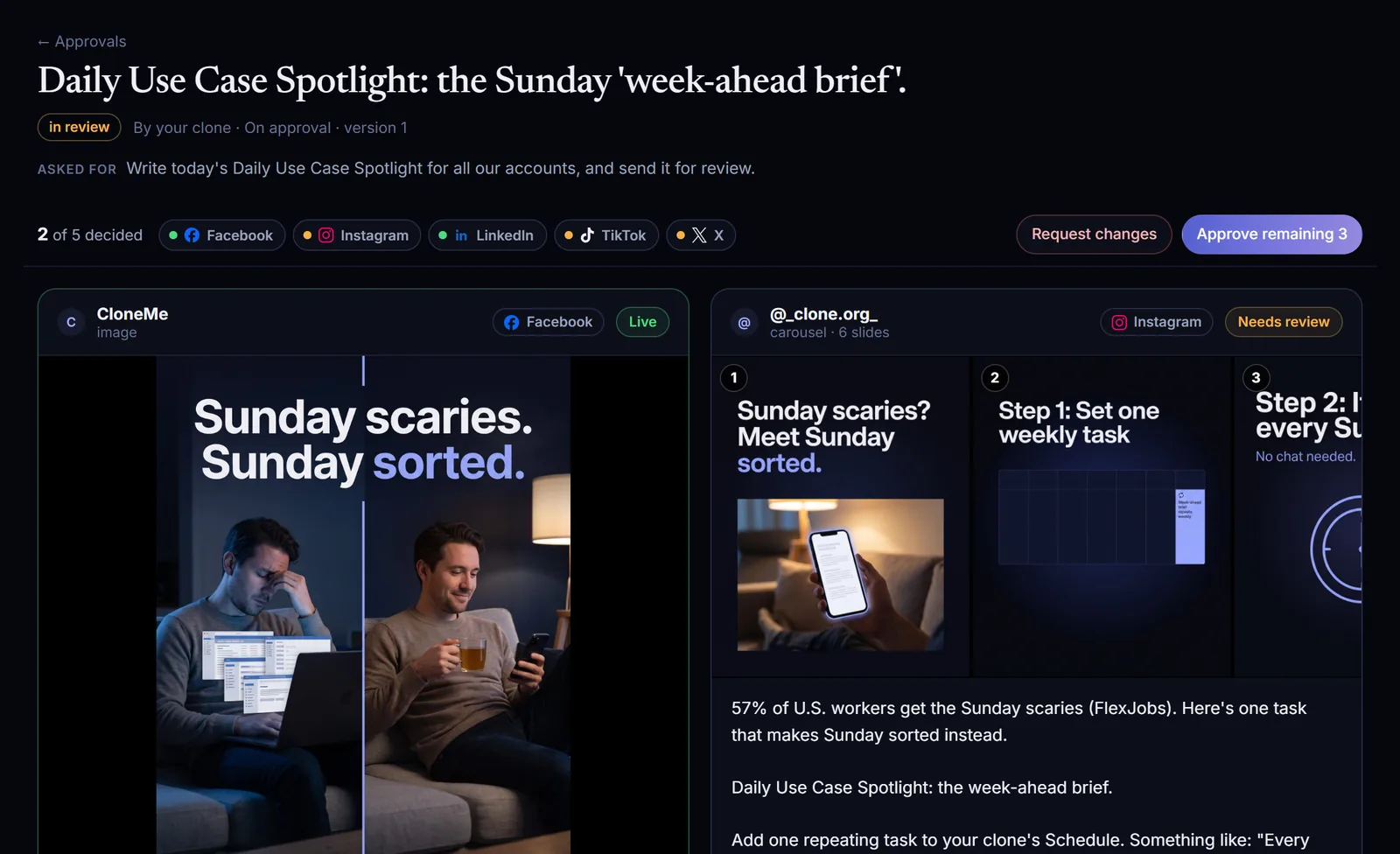
Write today's Daily Use Case Spotlight for all our accounts, and send it for review.
Your drafts are ready for review:
- Facebook: image post
- Instagram: 6-slide carousel
- LinkedIn: image post
- X: a 280-character post
- TikTok: 6-slide carousel
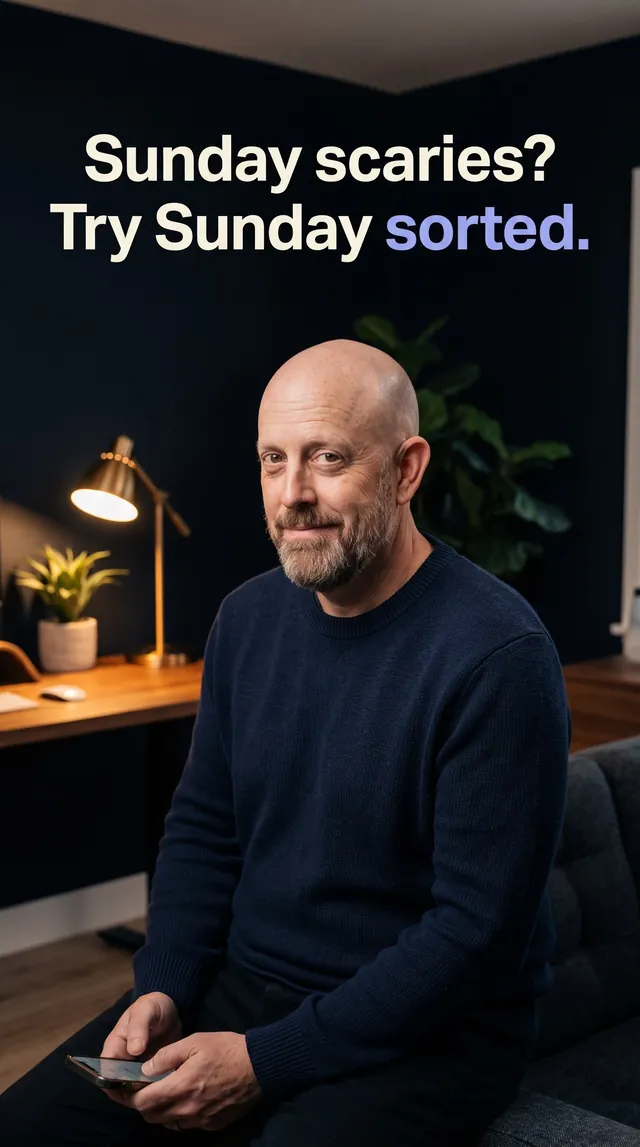
Revise the TikTok version: redo slide 3 so it shows you.
Done. Only TikTok slide 3 changed.
- The other five TikTok slides are untouched
- Facebook, Instagram, LinkedIn and X are exactly as you left them
- It's back in review for you
Approve only Facebook and LinkedIn.
Approved and published:
- Facebook: live
- LinkedIn: live
- Instagram, TikTok and X are still waiting for review
Any comments that need me?
Two, both on today's LinkedIn post:
- A question about setup. I drafted a reply from our help docs. It's waiting for your OK.
- A partner asking for a call. I flagged it for a person and didn't reply.
From our own first real post with Clone Social.
One sentence in. Five platforms out.
This is our own first real post with Clone Social. One chat message, and about eight minutes later five tailored versions were waiting for review, two of them six-slide carousels, one starring the clone itself.
Write today's Daily Use Case Spotlight for all our accounts, and send it for review.
- FacebookImage post
- Instagram6-slide carousel
- LinkedInImage post
- XText post
- TikTok6-slide carousel
About 8 minutes of clone work, start to finish.
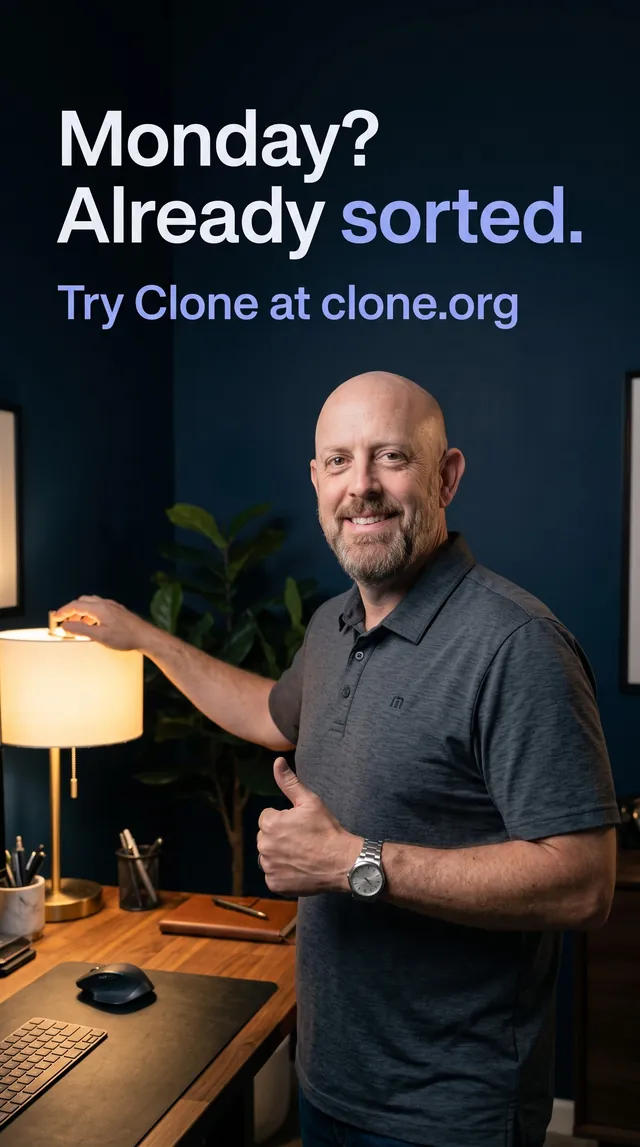
Social rewards consistency. Your clones never run out of it.
Most businesses post in bursts, go quiet for weeks and leave comments unanswered. Clone Social takes over the parts that actually take the time.
From one request to replies on the live post.
- 01RequestYou ask in plain English, in chat or by voice.
- 02ResearchYour clone searches its own knowledge base, and the web when timely context helps.
- 03WriteA native version for every account, within each platform's limits.
- 04CheckUnsupported numbers, missing credits and risky claims are flagged for the reviewer.
- 05DesignImages and carousels sized for each platform, with the clone in them if it has a headshot.
- 06ReviewDrafts land in Approvals and your clone sends you the link.
- 07PublishOn time, everywhere, with live links back in your chat.
- 08ReplyThe clone that wrote the post answers its comments, under your rules.
Specific to your business. Not generic AI filler.
Each clone writes from its own knowledge base: your products, customers, pricing, offers and stories, plus the web when timely context helps. That's why a post sounds like you and gets the facts right.
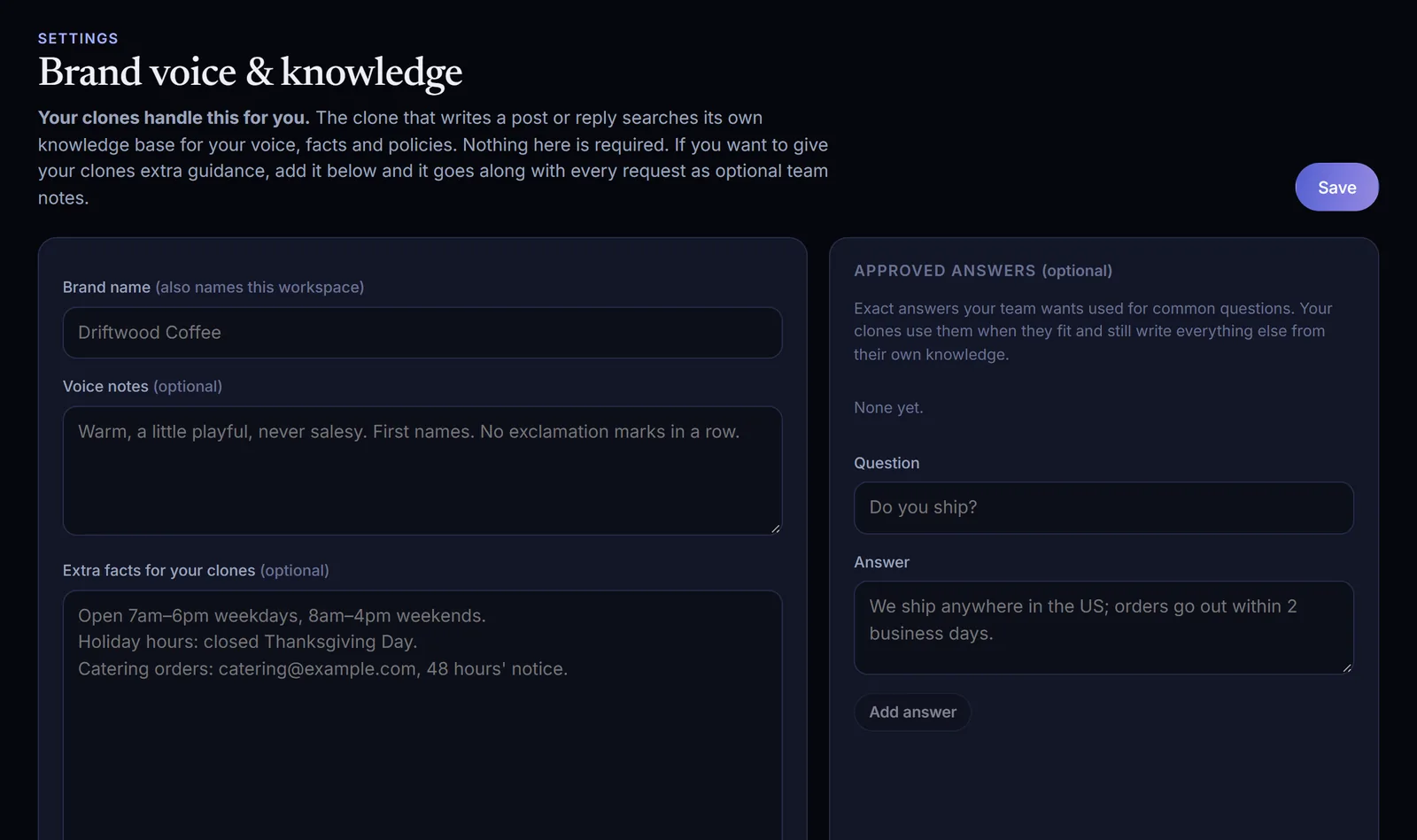
Settings are optional. Add a voice note, a tracking-link template, an image style or an approved answer, and it goes along with every request as extra guidance.
- Writes each platform's version in your voice
- Designs on-brand images and carousels
- Features the clone itself, from its headshot
- Uses your media exactly as given, or your exact words
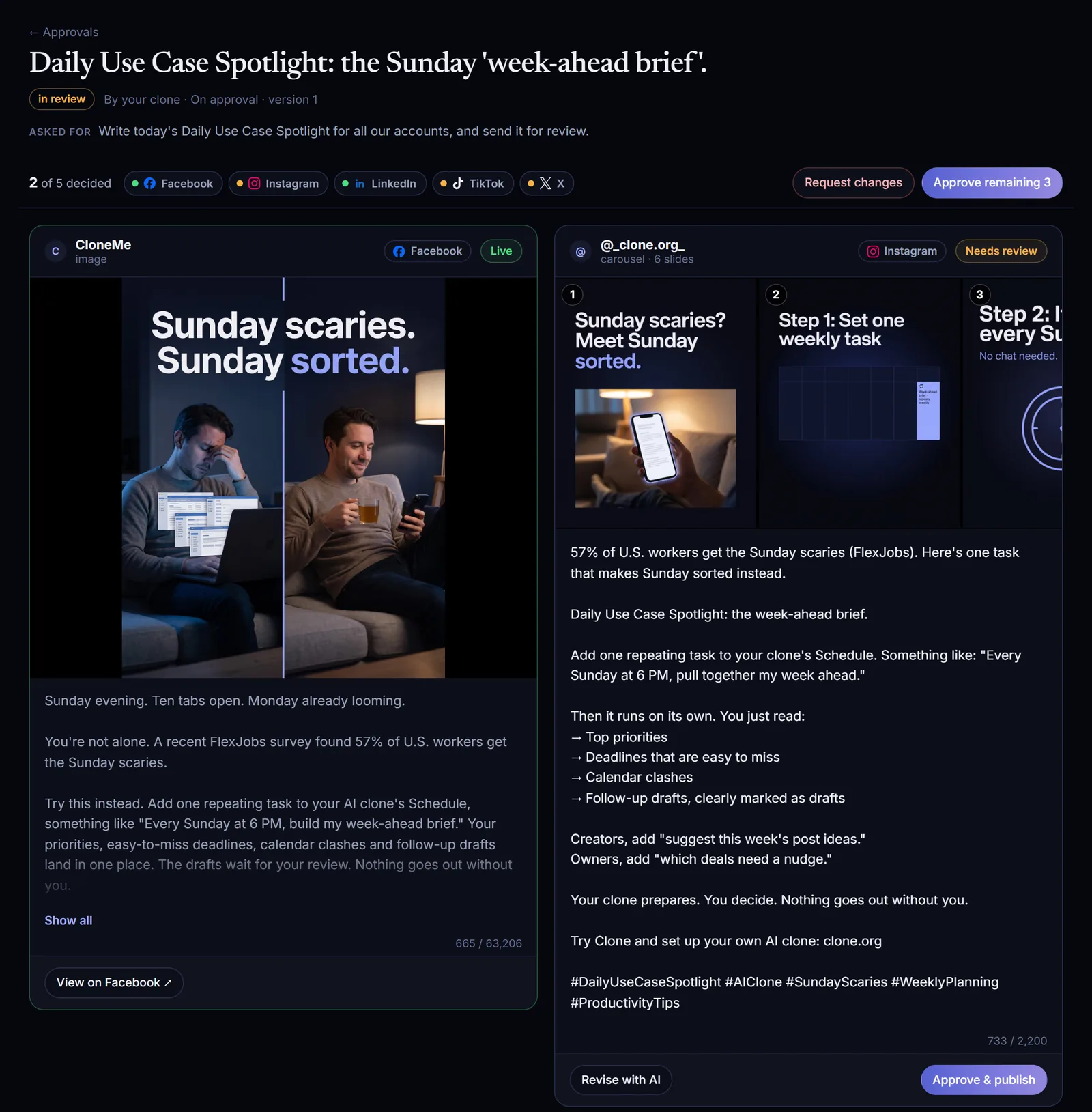
One queue. Approve one platform at a time.
Every draft opens as one post with a card per platform. The good ones go live right away while the others stay in review.
- Preview each platform's version: text, images and numbered carousel slides
- Edit any text inline, with each platform's character limit
- Approve & publish each platform on its own, or Approve all in one click
- Request changes sends it back to the clone with your note
- Notes your clone sees when it revises, and every version saved
Or approve from chat: “Approve only Facebook and LinkedIn.”
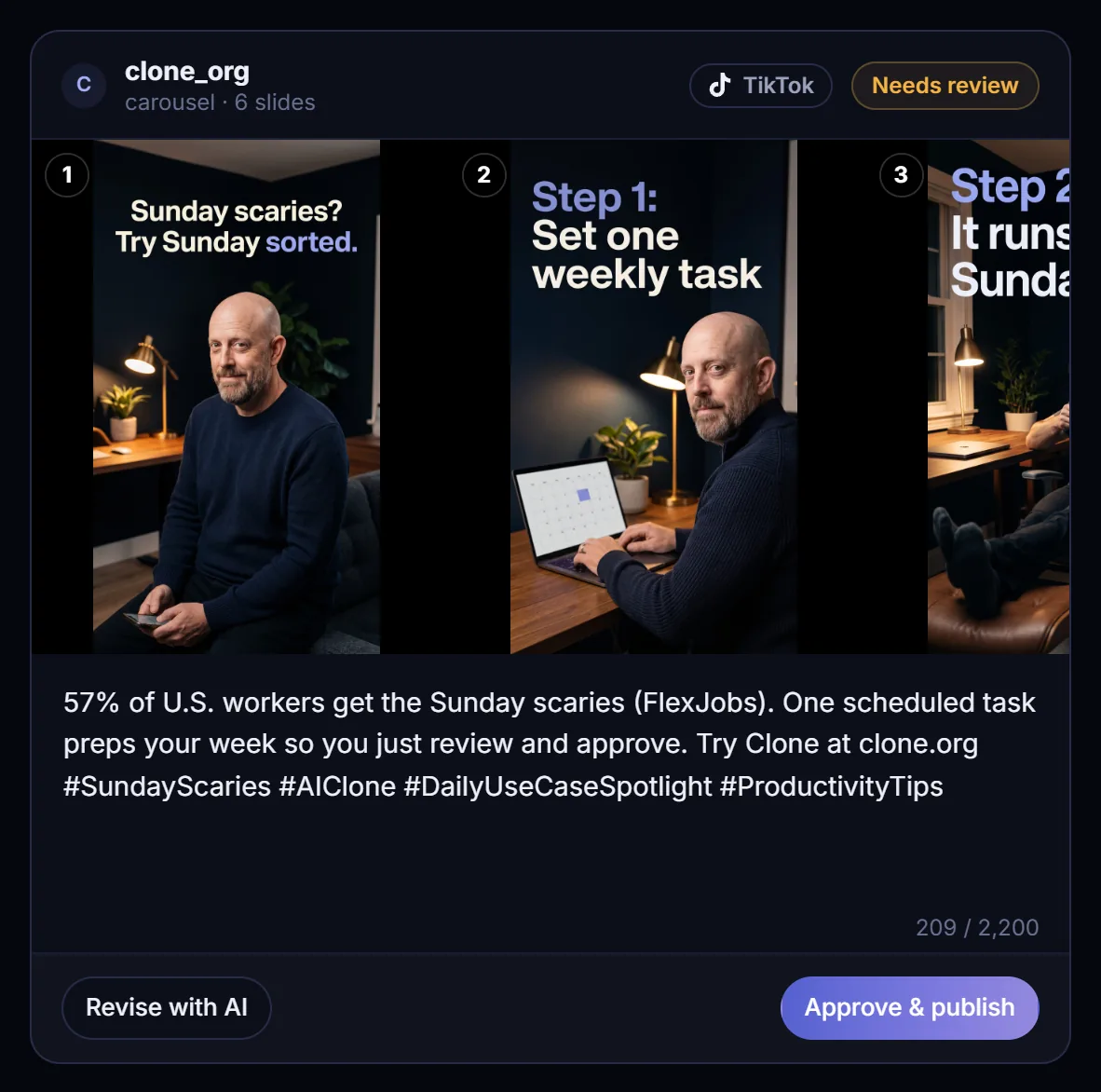
Change one slide. Leave everything else alone.
Say what to change, like “redo slide 3 so it shows the clone at a desk”. Only the platforms and slides you point at change. Everything else stays exactly as it was.
On our first real post, one TikTok slide needed a fix. Revise with AI redid that slide and nothing else.
Revise the TikTok version: redo slide 3 so it shows you.
Done. Only TikTok slide 3 changed.
- The other five TikTok slides are untouched
- Facebook, Instagram, LinkedIn and X are exactly as you left them
- It's back in review for you
Approve the latest post.
Approved. Here's what went out:
- Facebook: live
- LinkedIn: live
- Instagram: scheduled for 9:00 AM
- Nothing is waiting for review
On time, everywhere. Links back in your chat.
Approved posts publish at the time you picked, or within a minute if you didn't pick one. Your clone posts the live links into the chat and tells you what is still waiting.
- Media copied to Clone Social's storage first, so every platform can fetch it
- Disconnected account? Posts are held, not lost
- Expiring sign-ins refreshed where the platform allows
- A reminder a week before one needs you
Every comment answered by the clone that wrote the post.
Clone Social checks your accounts for new comments every 15 minutes (Facebook and Instagram can notify in real time). The clone that made the post is woken up with the comment, its post and your team's notes, and writes the reply from its own knowledge.
The clone drafts every reply. You approve it in the Inbox.
Replies go out on their own after a short, natural delay. Anything the clone flags as sensitive still waits for a person.
Comments show in your Inbox and you answer them yourself.
Does the brief go out on its own, or do I check it first?
Your cloneDraft · waiting for youYou check it first. Your clone prepares the brief every Sunday, and nothing goes out without you. Set the task once and it runs every week.
Every action. Every clone. Every person.
The Activity log records drafts, edits, approvals, publishes, replies, hides and connection changes, with who did it and who approved it. Undo is one click where it makes sense: hold an automatic reply, delete a posted reply, or unhide a comment.
- Each account starts with “every post needs approval”
- Choose which accounts each clone may draft for and publish to
- Roles: owner, admin, approver, editor, viewer
- Only approvers and above can approve posts and replies
Your clone drafted 5 versions
Daily Use Case Spotlight- A
Approver approved Facebook and LinkedIn
Daily Use Case Spotlight Clone Social published to Facebook and LinkedIn
Live links sent to the chatYour clone revised TikTok slide 3
Only that slide changedYour clone drafted a reply on LinkedIn
rule: Draft & suggest- Unhide
Clone Social hid a spam comment on Instagram
Never deleted
You bring your own app. Clone never puts you on ours.
Clone Social works the way n8n and Make do. You create a developer app in your own Meta, X, LinkedIn or Google account, or use your own Blotato account, and give Clone Social its keys.
Security
The app lives in your account, not ours. You decide its permissions and can revoke it any time, from the platform itself.
Control
When you connect, you pick exactly which pages and profiles Clone Social may use. Nothing else is touched.
No middleman
Your posts aren't routed through a shared app that a platform could throttle or suspend for everyone.
Your limits, your costs
Any API costs (X charges per post) and platform limits stay on your own account.
Encrypted
Keys and tokens are encrypted at rest, never shown again after you save them, and never handed to clones.
Need help creating an app?
Follow the step-by-step guide for each platform on support.clone.org, or ask your clone: “Walk me through connecting Facebook to Clone Social.”
Security and your appsLive today on the platforms you post to.
Facebook, Instagram, Threads, X, LinkedIn, YouTube and Bluesky through your own apps, and TikTok, Pinterest and more through your own Blotato account.
Text, links, photos, multi-photo, video, Reels
Photos, carousels (up to 20), Reels, Stories
Text, images, carousels, video
Posts, threads, images, video
Your profile: text, links, images. Company pages need LinkedIn's approval
Videos and Shorts
Posts, threads, images
TikTok, Pinterest, LinkedIn company pages and more
A content engine that never misses a day.
Give your clone a Schedule Task in Clone Studio and Clone Social runs on its own. Your team reviews the queue over coffee, and approved posts go out on time all week.
“Every weekday at 8am, use Clone Social to write today's Daily Use Case Spotlight for all our accounts. Check the queue first so you don't repeat a topic, and send it for review.”
“Every Monday at 8am, write this week's posts: three posts for Tuesday, Wednesday and Thursday at 9am about our services, tips and customer stories. Send them for approval.”
Clone Social, in detail.
Comment replies
The clone that wrote the post answers it.
Security and your apps
Your accounts, your apps, your keys.
Setup guides
Step by step for every platform, on support.clone.org.
Pricing
Plans and credits. Clone Social is included as a skill.
Screens show the Clone Social app with our own first real post. Account settings shown are examples.
Questions, answered.
What is Clone Social?
Clone Social is a skill plus a web app at social.clone.org. Your clones research, write, design, schedule and publish posts on your own social accounts, and answer the comments people leave, using what they already know about your business. Nothing goes out without the approval rules you set, and every action is logged.
Does anything get posted without my approval?
Not unless you allow it. Every account starts with "every post needs approval". You can let specific clones publish without approval on specific accounts.
Who writes the posts: the clone or some other AI?
The clone. Clone Social researches that clone's own knowledge base and writes in its voice. Settings only adds optional guidance on top.
Can I approve some platforms and fix others?
Yes. Approve each platform separately. Approved ones publish right away while the others stay in review. Revise with AI changes only the platforms and slides you name.
Can the clone appear in the images?
Yes. If the clone has a headshot in Clone Studio, image slides can feature it.
Why do I need my own app?
It keeps you in control and keeps your accounts safe: the app lives in your account, you can revoke it any time, and your posting isn't tied to anyone else's. The setup guides on support.clone.org walk through each one, and your clone can guide you step by step.
I already use Blotato. Can I keep using it?
Yes. Connect your Blotato API key and use every account you've linked there.
What does it cost?
Clone Social is included as a skill. Comment replies are runs of your clone and use Clone credits like any other task (hidden spam costs nothing). Platform API costs, such as X's per-post fee, are billed by the platform to your own developer account. See pricing for plans and credits.
What happens if an account disconnects?
Posts for that account are held, not lost. You're told, and they publish once you reconnect.
Can different clones post to different accounts?
Yes. On the Team page, choose which accounts each clone may draft for and publish to.
Hand your social to your clones. Keep the final say.
Start a free trial and ask your clone for its first post, or book a demo and watch it write, design and publish across your accounts.